By the ShipX Content Team, in consultation with ShipX's Customs & Carrier Operations desk — the team that maintains the carrier eligibility rules and tariff data behind these tools.
Shipping out of Southeast Asia sounds simple until you actually try to do it. What HS code does your product need? Will a carrier even accept lithium batteries on this lane? How many days will a parcel actually take to land in the US or UK? What will it cost per kilo? And if the box shows up damaged, who do you call?
Every one of those questions used to mean guessing, or waiting on hold with a freight broker. That's why ShipX built a suite of
seven free cross-border shipping tools for sellers shipping out of Vietnam, the Philippines, Malaysia, Indonesia, Thailand, and Singapore — so you can get a straight answer before you book anything. No account required for most of them, no spreadsheet of carrier restrictions to memorize, and no waiting for a callback just to find out if your goods are even eligible.
This post walks through what each of the seven tools does, how the result is actually generated, and where it fits into your shipping process. That second part matters: some of these tools genuinely use AI, and some are live data lookups dressed up with a "thinking" animation. We'll be upfront about which is which, because knowing the difference tells you how much to trust the number in front of you. Use this as a map — start wherever your shipment is stuck today, and work through the rest as you need them.
1. HS Code Finder: Get the Right Customs Classification Before You Ship
Every cross-border shipment needs a Harmonized System (HS) code — the six-digit classification maintained by the
World Customs Organization that customs authorities worldwide use to assess duties, taxes, and eligibility. Get it wrong and you risk delays, fines, or a shipment stuck in a bonded warehouse while someone reclassifies it. Most sellers don't know their product's code off the top of their head, and generic HS tables are dense enough to make anyone guess.
The
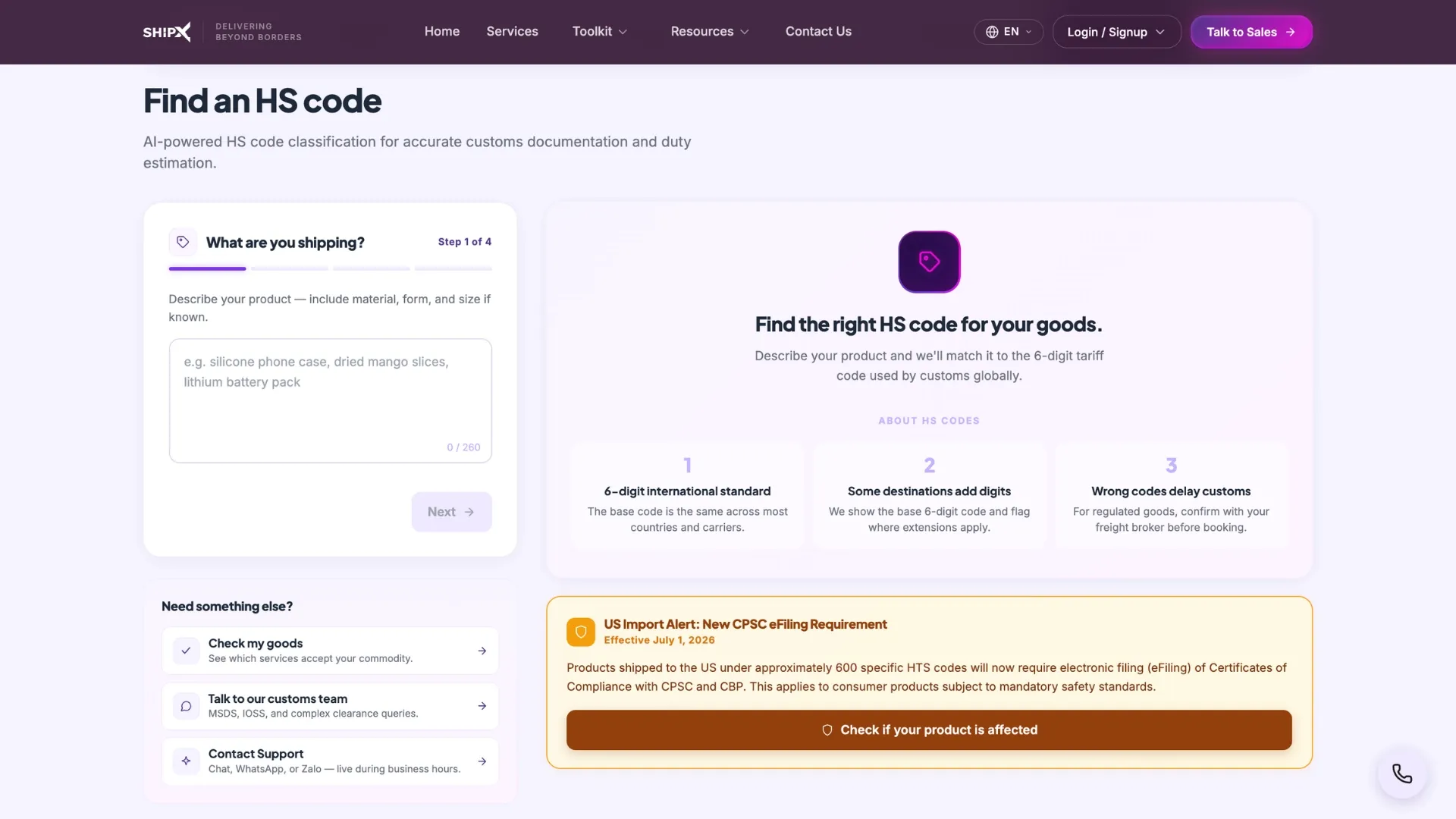
HS Code Finder asks a simple question: what are you shipping? Type a plain-English description — "silicone phone case," "dried mango slices," "lithium battery pack" — and it returns a matched code (six-digit HS, or the full ten-digit HTSUS if you're shipping to the US), along with a confidence score and a plain-English explanation of why that code fits.
This is the one tool in the suite where the "AI" label genuinely applies. The classification is a real model output, not a static lookup table: it carries a confidence percentage and a free-text justification, both signs of genuine AI reasoning rather than a fixed answer key. So when ShipX says our AI matched your goods at 85% confidence, that's a literal, checkable claim — not marketing language stretched over a database query.
Once you have your code, the natural next step is finding out which ShipX services will actually carry that product — which is exactly what the next tool does.
2. Commodity Check: Find Out if a Carrier Will Actually Accept Your Goods
Carriers don't all play by the same rules. Lithium batteries, for instance, are tightly restricted on air shipments under
IATA's Dangerous Goods Regulations — most air carriers require UN3480 packing and documentation, and some prohibit standalone lithium-ion shipments outright. Cosmetics are conditional and need an MSDS sheet. Food often needs phytosanitary paperwork or IOSS registration. A courier that happily takes your skincare line might reject a battery pack on the exact same lane — and finding that out at the counter, after you've already printed a label, is the expensive way to learn it.
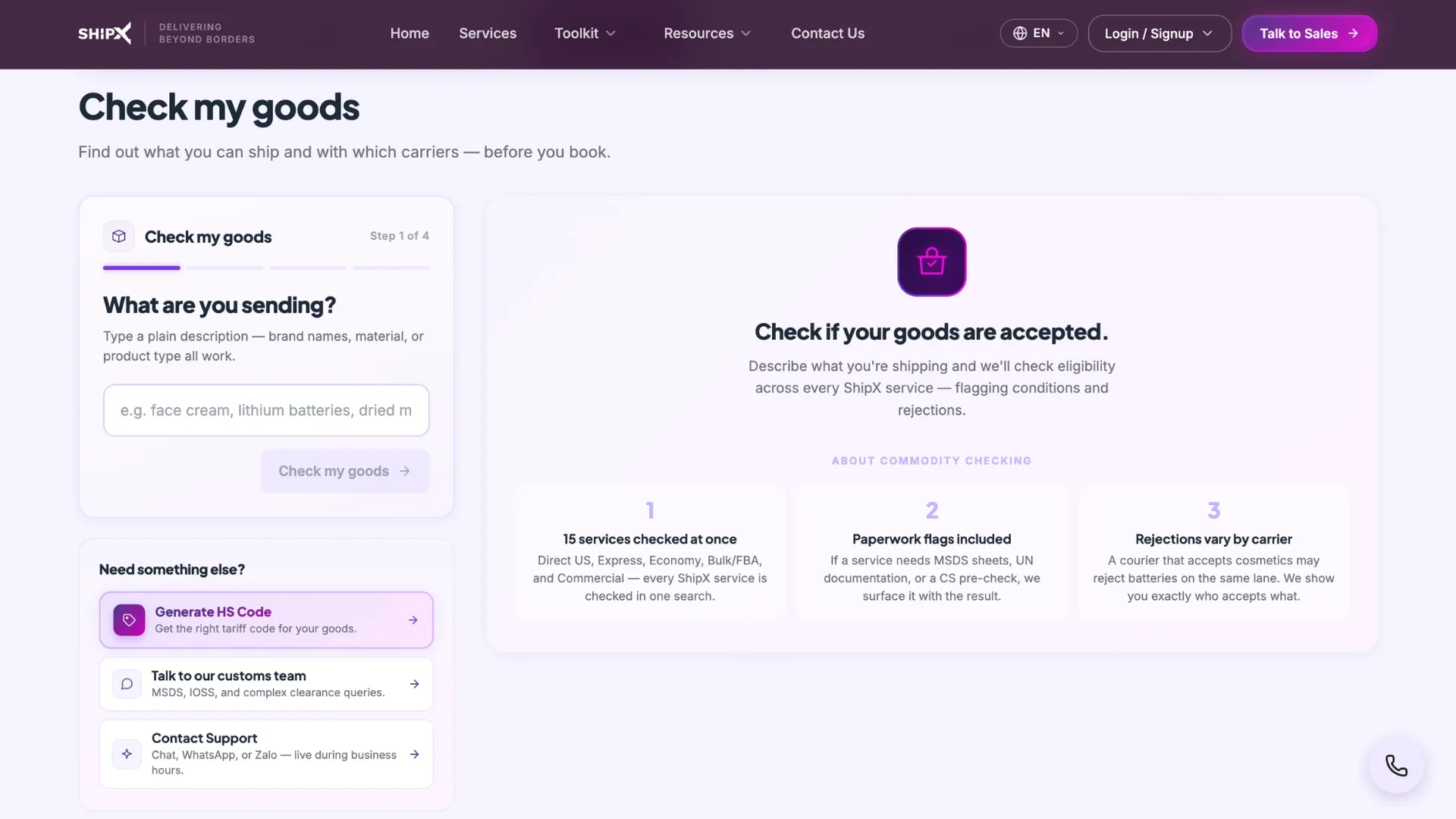
Commodity Check describes your goods, matches them to a commodity category, and then scores all 15 ShipX services against real carrier restrictions — returning a ranked map of what's
Accepted, what's
Conditional (and what paperwork that requires), and what's flatly
Rejected, plus the reason for each.
Here's where the honesty distinction matters: the
classification step — matching your description to a commodity bucket — uses the same AI engine as the HS Code Finder, so it's fair to say "we matched your goods." But the accept/conditional/reject decision itself is not an AI opinion — it's a deterministic set of carrier rules being applied to that classification. When a service shows "Rejected — cosmetics prohibited" or "Conditional — MSDS required," that's a fixed carrier restriction, not a judgment call a model made up. That distinction matters if you're relying on the result to decide how to book: the eligibility answer is as reliable as the carrier rulebook behind it, not a probabilistic guess.
3. Product Wizard: Get Matched to the Right ShipX Service for Your Priorities
Once you know your goods are eligible, the next question is usually: which of ShipX's 20-plus services should I actually use? Someone shipping electronics who needs speed has different needs than someone shipping textiles in bulk who's optimizing for price. Sorting through service tiers by hand — Direct US, Express, Economy, Bulk/FBA, Commercial — is its own research project.
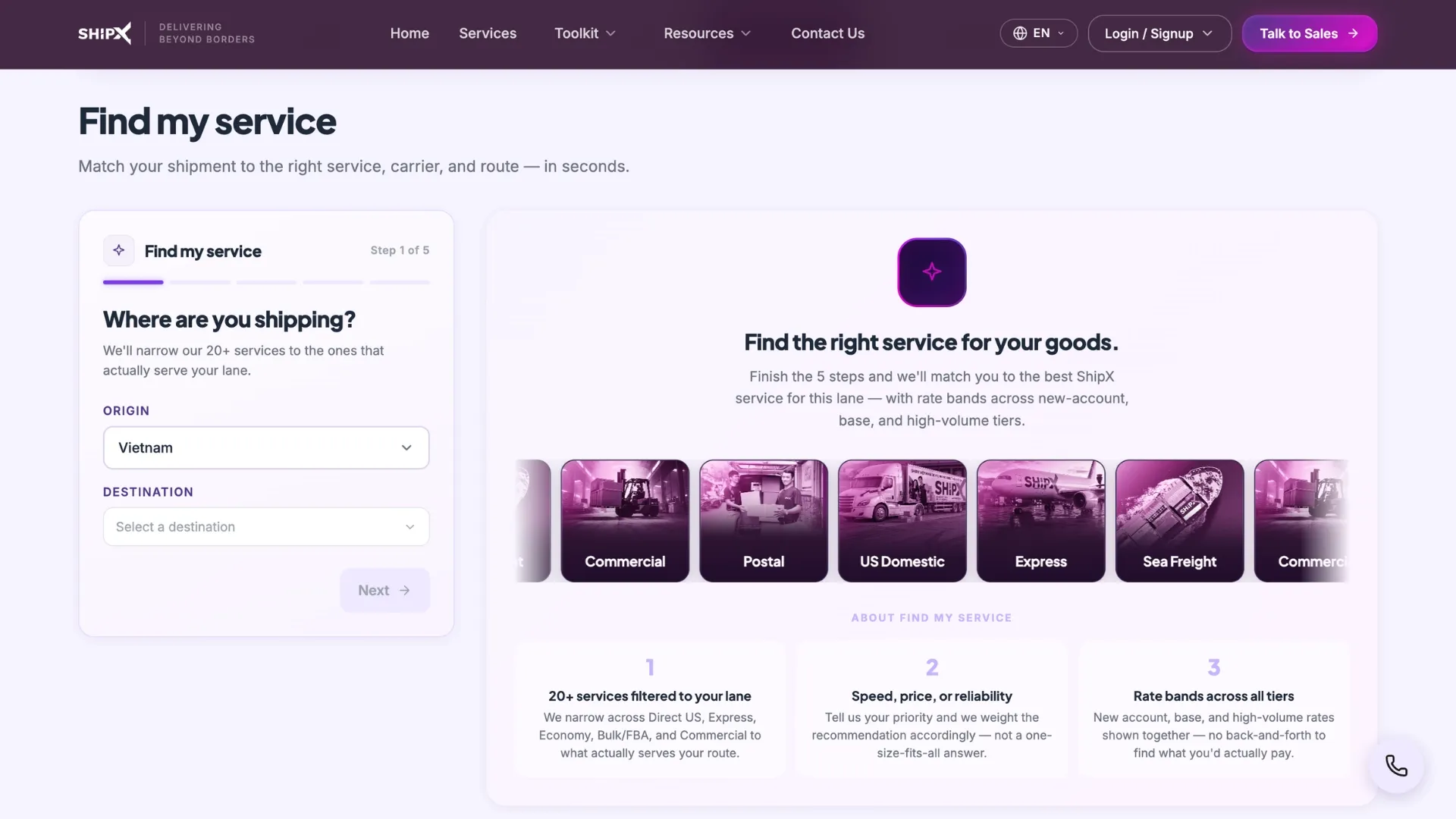
Product Wizard asks a handful of questions — your lane, what you're shipping, what matters most (speed, price, or reliability), and roughly how often you ship — and returns a single best-match recommendation: the service, the carrier, the transit window, and rate bands across new-account, base, and high-volume pricing tiers, plus a short rationale for why it's the fit and two alternatives it considered.
Think of this one as a recommendation engine rather than a generative AI tool — it weighs your stated priorities against known service characteristics to surface the closest match, the way a good account manager would if you described your shipment to them. The rates it shows are bands, not a locked-in quote: they tell you the range you'd likely land in at different volume tiers, and a contracted rate is the natural next conversation once you know which service fits.
4. Transit Time: See Real Delivery Windows Before You Commit
Committing to a delivery promise for your own customers is hard when you don't actually know how long the shipping will take.
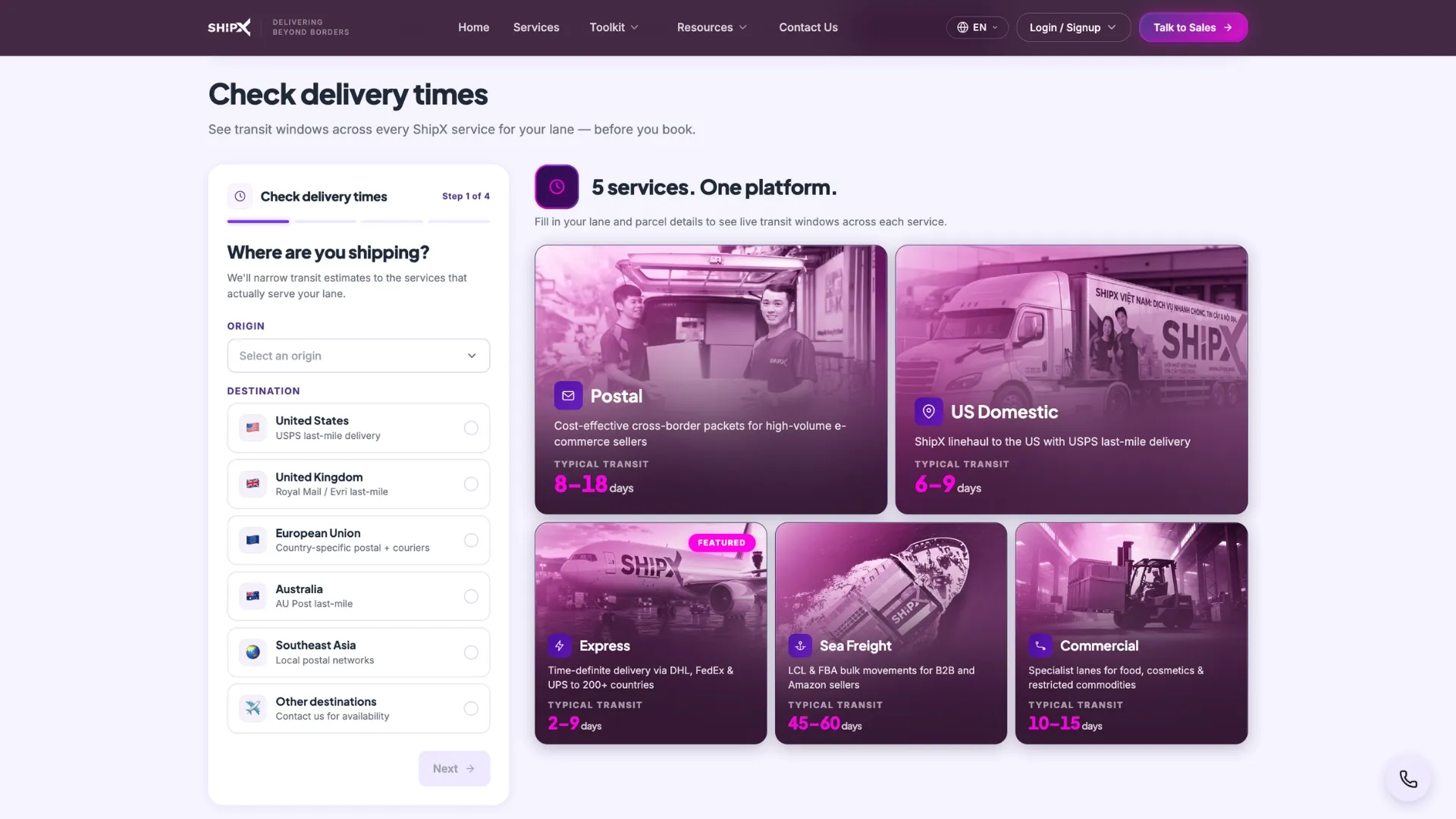
Transit Time takes your origin and destination, your parcel's weight, and what you're shipping, and returns transit-day ranges across every eligible ShipX service — grouped by tier (Postal, US Domestic, Express, Sea Freight, Commercial) and filtered down to only the services that will actually carry your commodity.
This is a live data lookup, not AI — and it's worth being precise about that, because the result reads as though something is being "calculated" when really it's a table of known transit ranges per route being filtered against your inputs. ShipX labels these results "live data," not AI-generated, and that's the right way to think about them: they're estimates built from real carrier performance on real lanes, not a prediction a model came up with. If you need a committed window rather than an estimate, that's a conversation for booking — but the numbers here are grounded in actual route data, which is exactly what you want before you promise a delivery date to your own customer.
5. Pricing Wizard: Compare Market Rates to What You'd Actually Pay With ShipX
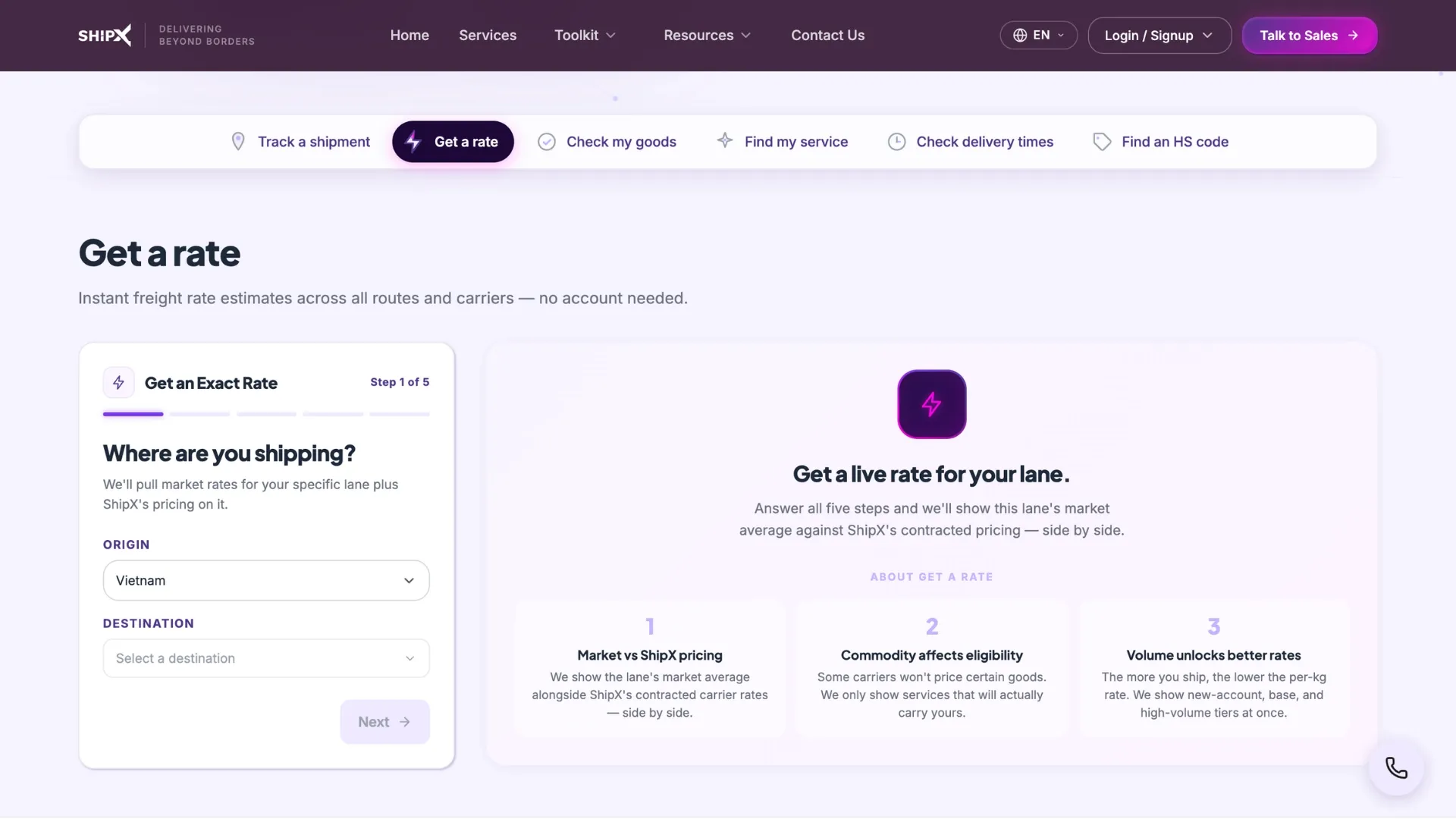
Once you know a route is fast enough, the obvious next question is what it costs.
Pricing Wizard takes the same core inputs — lane, parcel, commodity, and how much you ship per month — and returns two things: an anonymized market benchmark (what comparable carriers charge on this lane) and ShipX's own rates broken out by service tier, so you can see immediately whether you're currently paying above or below market.
Like Transit Time, this is a live rate lookup, not AI. The numbers come from real rate data and carrier comparisons, not a model's estimate, and ShipX is explicit that these are "live rates" rather than anything AI-generated. Volume matters here more than in any of the other tools — shipping "a few a month" puts you in a different rate tier than shipping 500-plus, and the tool reflects that directly in the bands it shows you.
6. Shipment Tracker: Check on a Shipment That's Already Moving
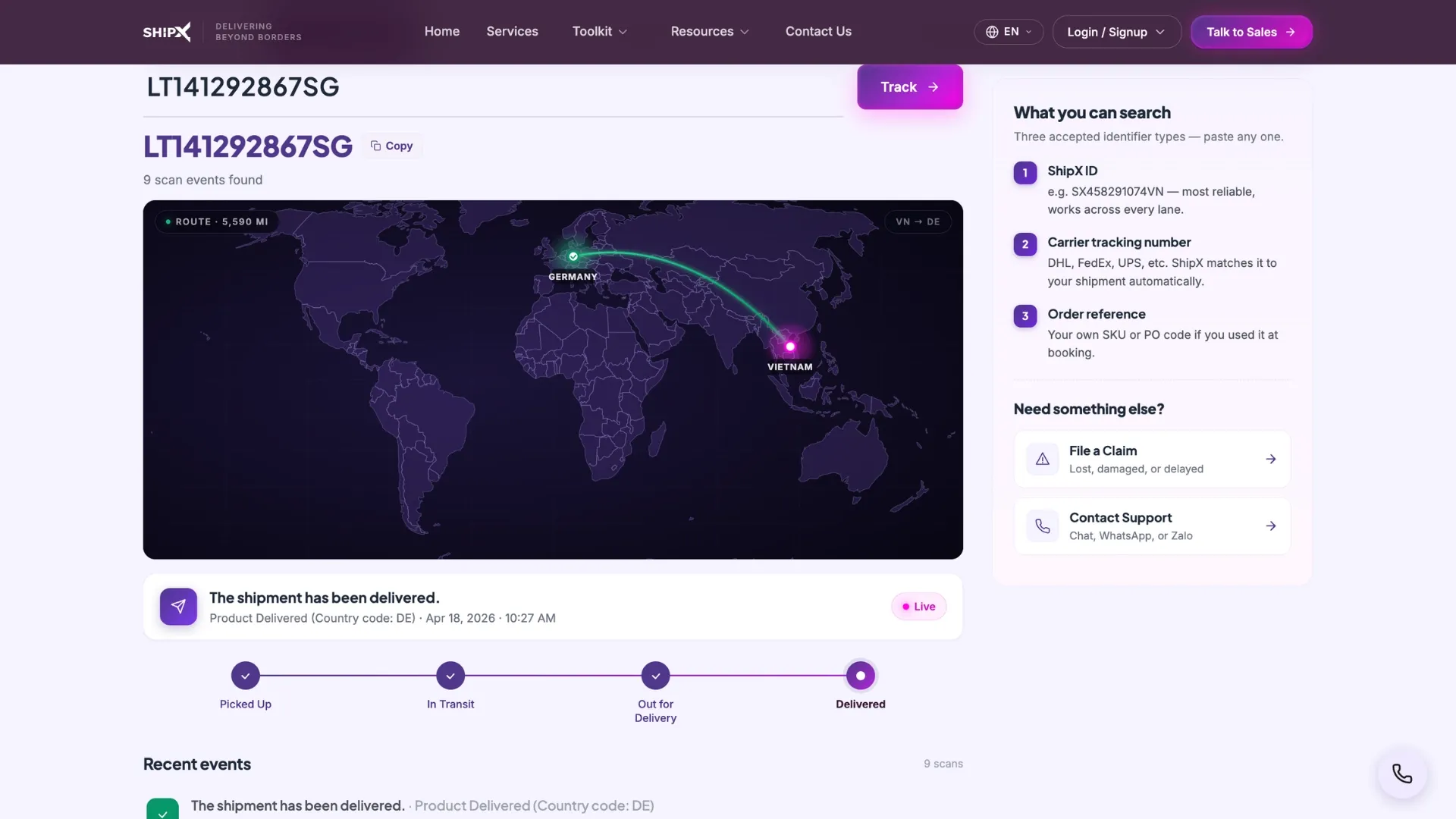
The first five tools are all about the decisions you make before you book. Shipment Tracker is different — it's a straightforward utility for shipments that are already in transit, not a lead-capture funnel. There's no wizard, no form, and no email gate. You paste an identifier and get a status back.
It accepts three kinds of input: your
ShipX ID, a
carrier tracking number (DHL, FedEx, UPS, and 50-plus regional carriers are all supported), or your own
order reference if you used one at booking. Enter any of the three and you'll see the shipment's route, current status, and full status history, updated in real time. This one has no AI angle to clarify — it's pure status lookup, matching your identifier against tracking records and rendering the timeline. That's exactly what you want from a tracking tool: fast, factual, and no guesswork involved.
7. File a Claim: Get Help When Something Goes Wrong
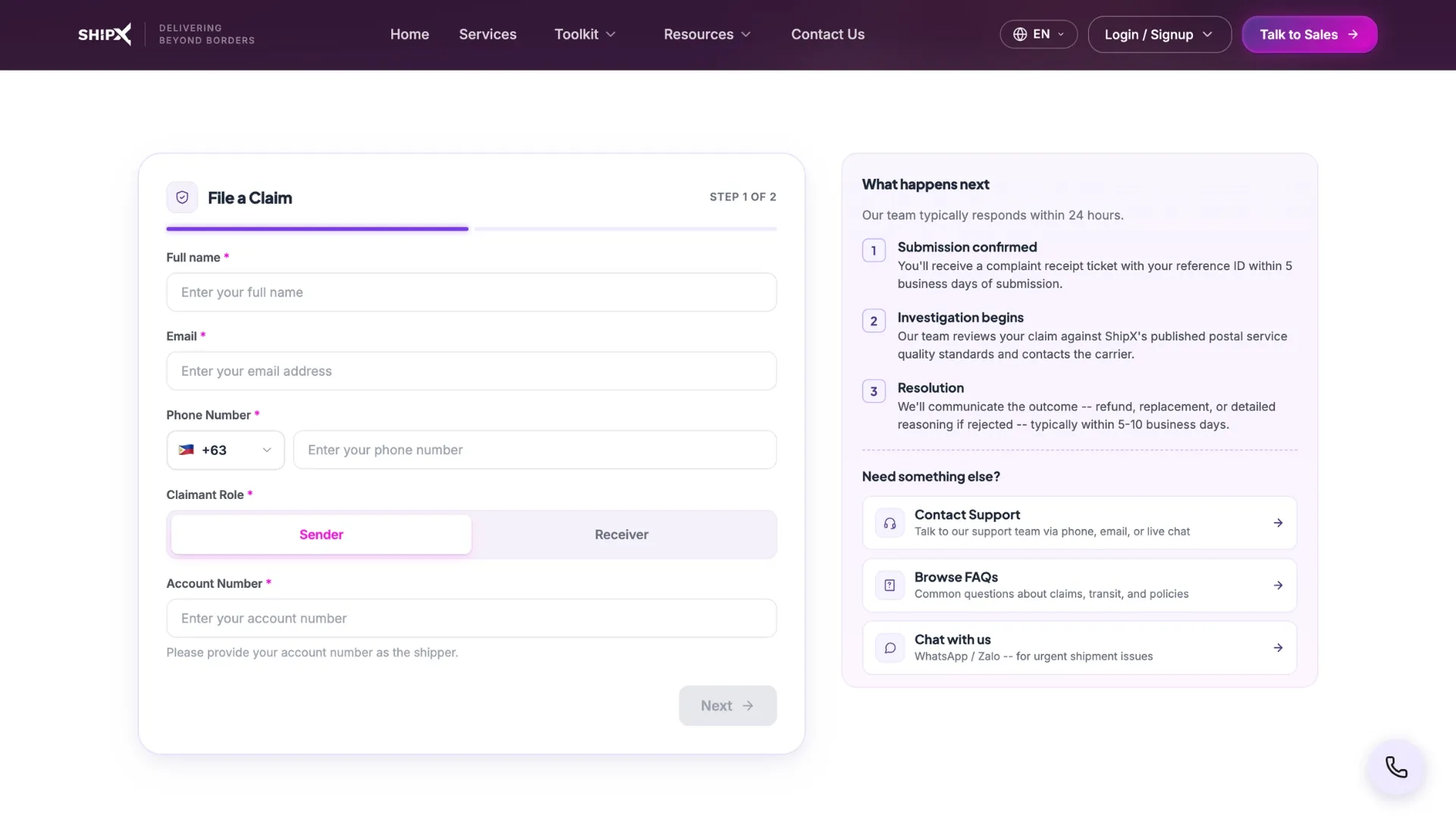
Sometimes a shipment is lost, arrives damaged, runs late, or gets held up in customs — and when that happens, what you need isn't a sales pitch, it's a clear process and a real person looking at your case.
File a Claim is ShipX's structured way of handling exactly that.
It's a two-step form: step one collects your details (name, email, phone, and whether you're the sender or the receiver — senders confirm an account number, receivers confirm the destination country), and step two collects the shipment specifics — the claim type (lost, damaged, late, or customs), your tracking number, and a description of what happened. If you're filing a damage claim, you can attach photos directly. Submit it and you get a reference ID immediately, plus a confirmation that ShipX's team will review the claim and get back to you within one to three business days.
This tool is built to be reassuring and practical, not a conversion funnel — there's no upsell attached to a claim, no "talk to sales" banner. It exists because shipments occasionally go wrong, and when they do, a shipper should be able to file a clear report, get a reference number to point to, and know a real review is coming within a set window, rather than piecing together an email thread with support.
The pattern across most of these tools is the same: describe your shipment, get a genuinely useful free result, and — for the five that follow the wizard format — leave your name, email, and WhatsApp or Zalo contact so a copy of your result lands in your inbox and a ShipX rep can follow up if you need a locked-in rate, a contracted service, or help with paperwork. That's not a bait-and-switch; the result itself is real and usable on its own. The contact details just mean you don't have to start over next time, and that ShipX's team can pick up exactly where the tool left off if your shipment needs a human.
Taken together, the seven tools cover the entire lifecycle of a cross-border shipment: classify your goods, confirm they're eligible, get matched to the right service, check the timeline, check the cost, track it once it's moving, and get help if something goes sideways. You don't need to use all seven for every shipment — but knowing they're there, and knowing exactly what each one can and can't tell you, means fewer surprises at the counter and fewer calls to customer support after the fact.
Ready to try them? Head to the
ShipX toolkit suite, start with whichever tool matches the question you have right now, and work through the rest as your shipment moves from an idea to a tracking number.
Frequently Asked Questions
What is an HS code and why does my shipment need one?
An HS (Harmonized System) code is a standardized six-digit classification — extended to ten digits for US-bound shipments (HTSUS) — that customs authorities use to determine duties, taxes, and import eligibility. Every cross-border shipment needs one; getting it wrong can cause customs delays or unexpected fees. ShipX's HS Code Finder generates one from a plain-English product description using genuine AI classification, complete with a confidence score.
How do I know if a carrier will accept my goods before I book?
Use ShipX's Commodity Check tool. It classifies your goods and checks them against carrier restrictions for all 15 ShipX services, returning an accepted, conditional, or rejected status for each — along with the exact reason and any paperwork required, such as an MSDS sheet or UN3480 documentation for batteries.
Are ShipX's rate and transit numbers final quotes?
No. Transit Time and Pricing Wizard show live data estimates and rate bands, not locked-in quotes — they're built from real carrier and route data, not guesses, but a contracted rate or committed delivery window is confirmed when you book with the ShipX team. Product Wizard's rate tiers are similarly bands across new-account, base, and high-volume pricing, not a single final number.
How can I track a shipment that's already been sent?
Use the Shipment Tracker. It's a free lookup tool — no account or lead form required — that accepts your ShipX ID, your carrier tracking number (DHL, FedEx, UPS, and 50-plus regional carriers), or your own order reference, and returns real-time status and full tracking history.
What do I do if my shipment is lost, damaged, or delayed?
File a claim through ShipX's File a Claim tool. It's a two-step form covering your details and the shipment specifics, with photo upload available for damage claims. You'll receive a reference ID immediately, and ShipX's team reviews every claim within one to three business days.
No, and ShipX is upfront about which is which. The HS Code Finder is genuine AI classification. Commodity Check uses AI to classify goods, but the accept/reject eligibility decision is based on fixed carrier rules, not AI judgment. Product Wizard is a recommendation engine styled in AI-like language. Transit Time and Pricing Wizard are both live data lookups with no AI involved. Shipment Tracker is a pure status lookup, and File a Claim is a straightforward support form.


 SGLINK